How to Register
1. Press the button in the top right corner. " Register " 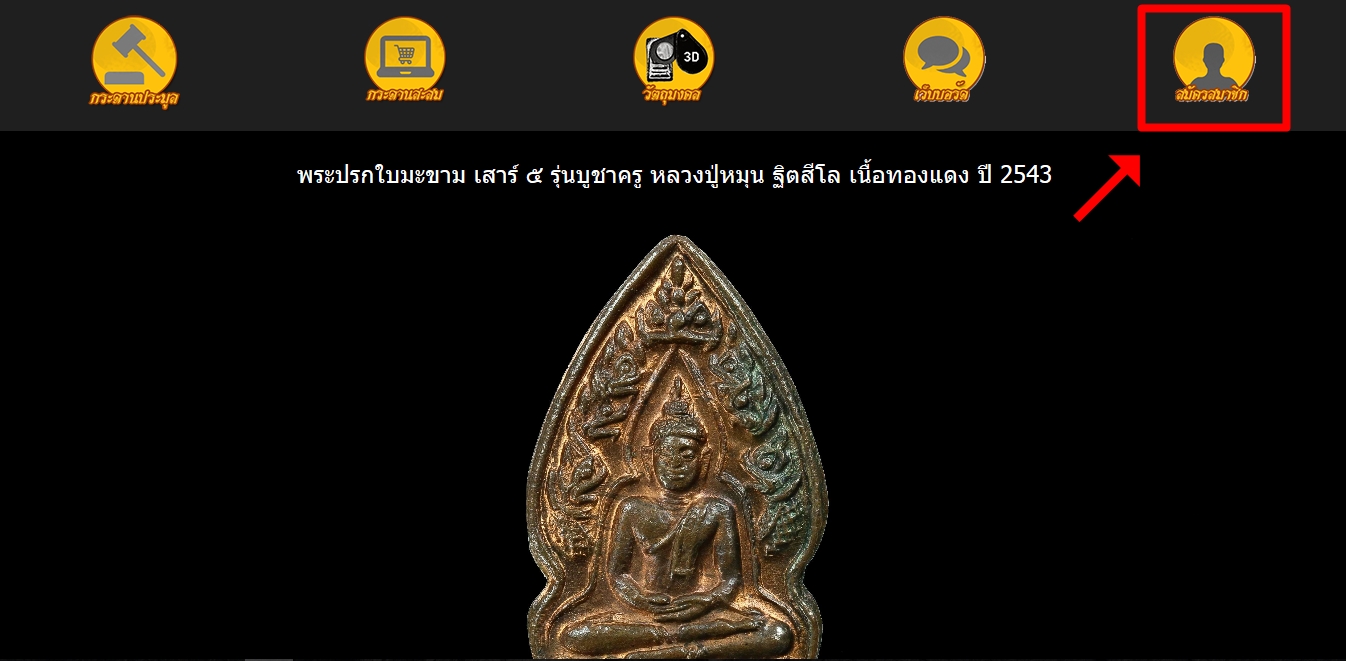
2. Read the agreement to subscribe and tick accept the agreement and press the confirm button.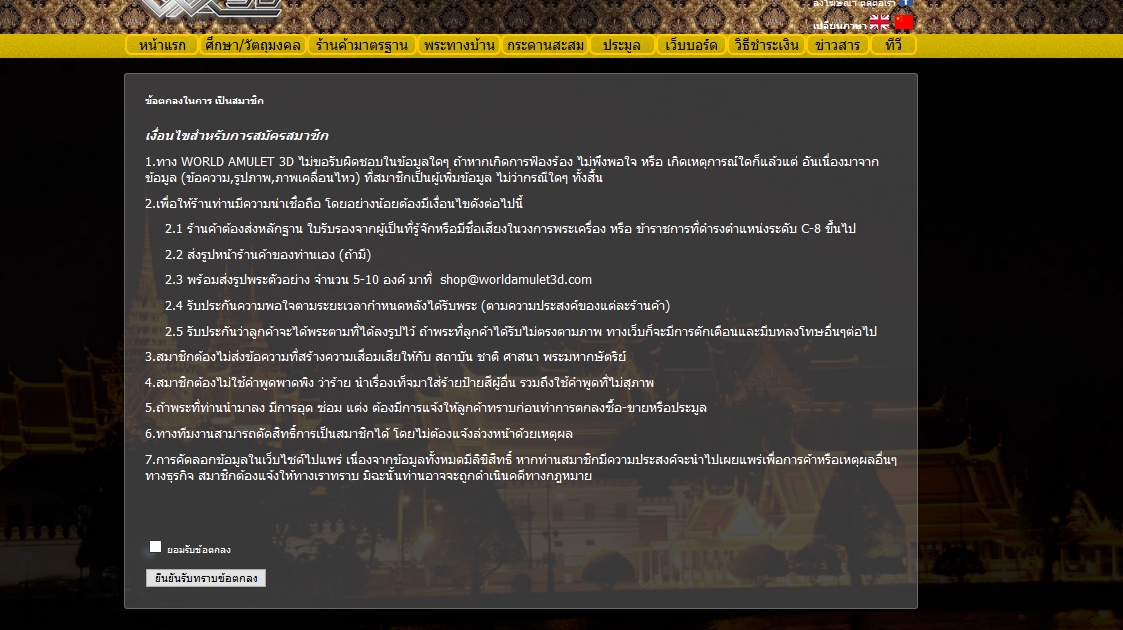
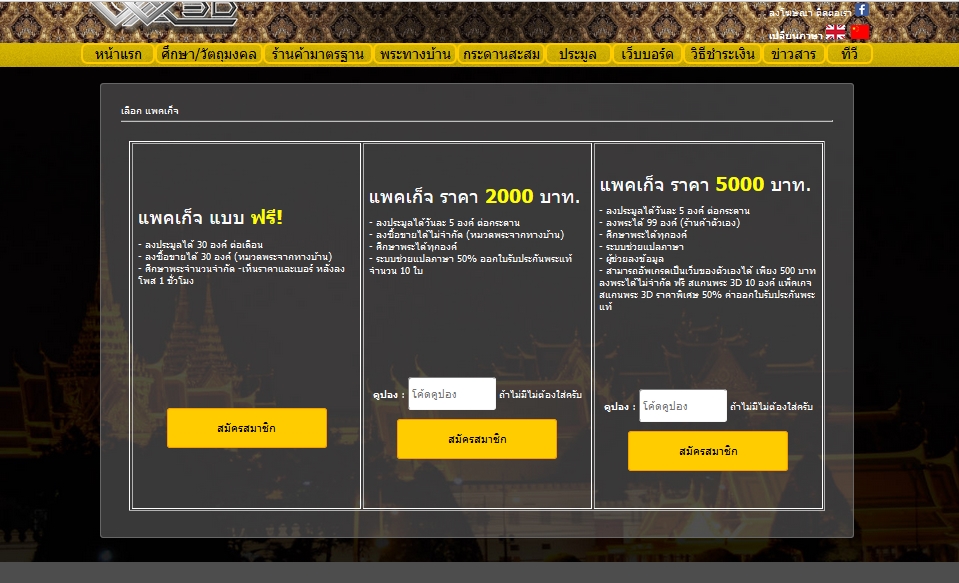
3. Select the package you want to subscribe.
* In case you would like to make a free membership, choose a free package. |
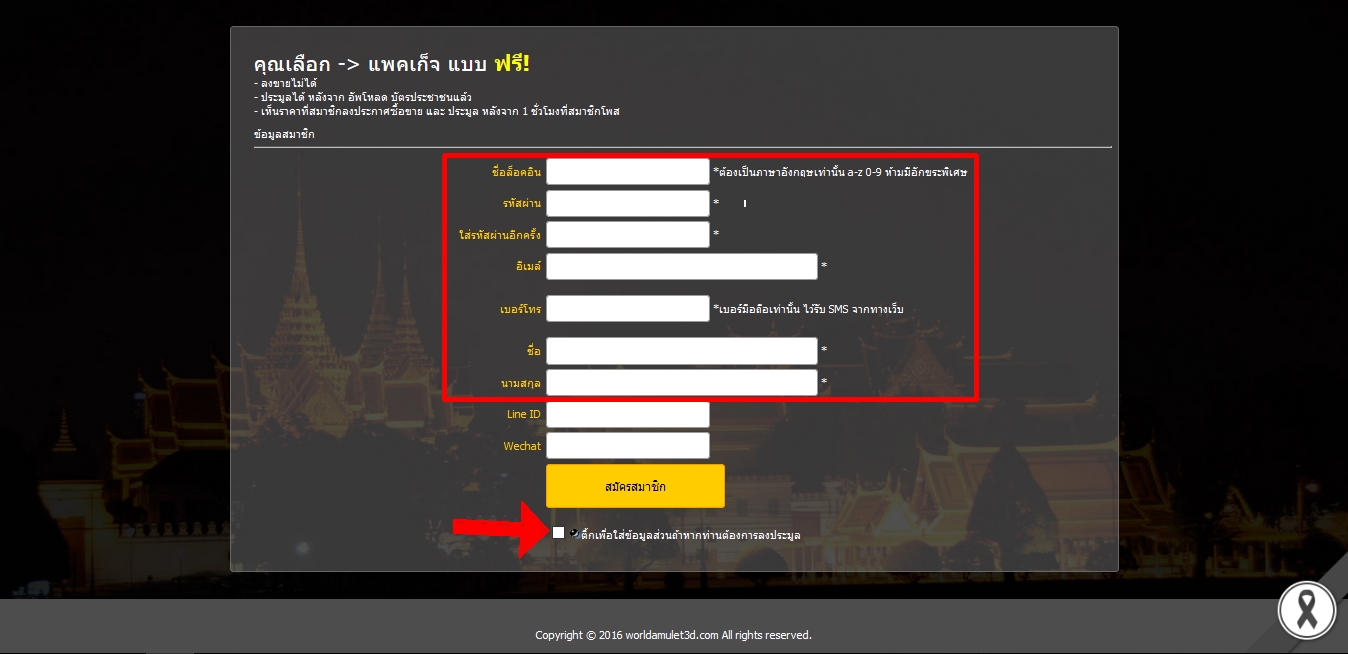
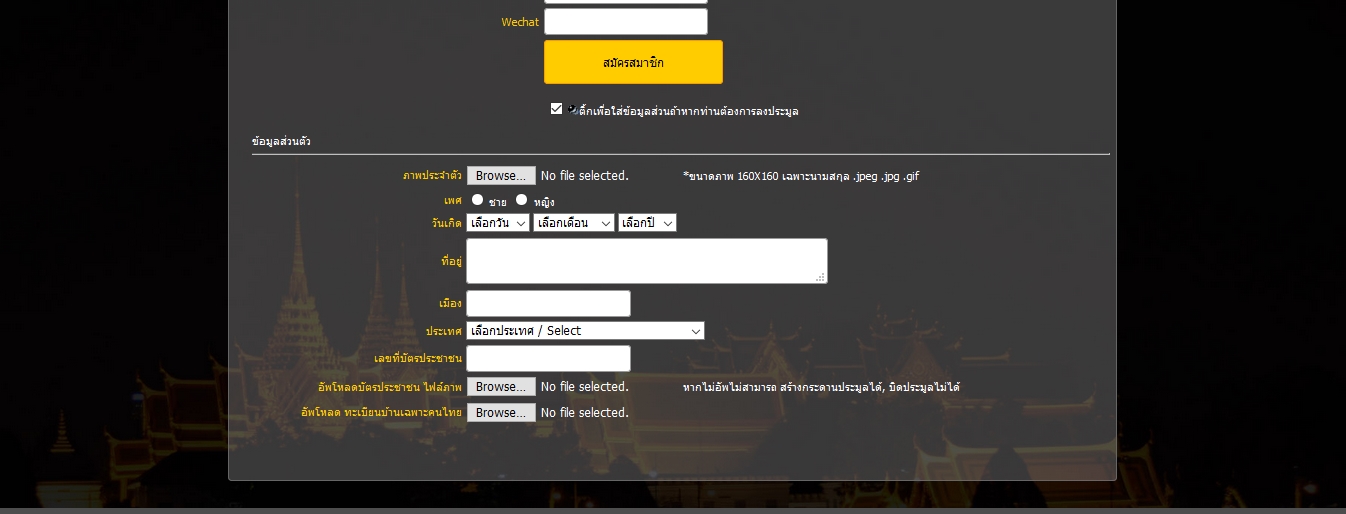
4. Fill in your personal information.
 If you would like to bid, please tick the box below to enter additional information. If you would like to bid, please tick the box below to enter additional information.
5. Register completed.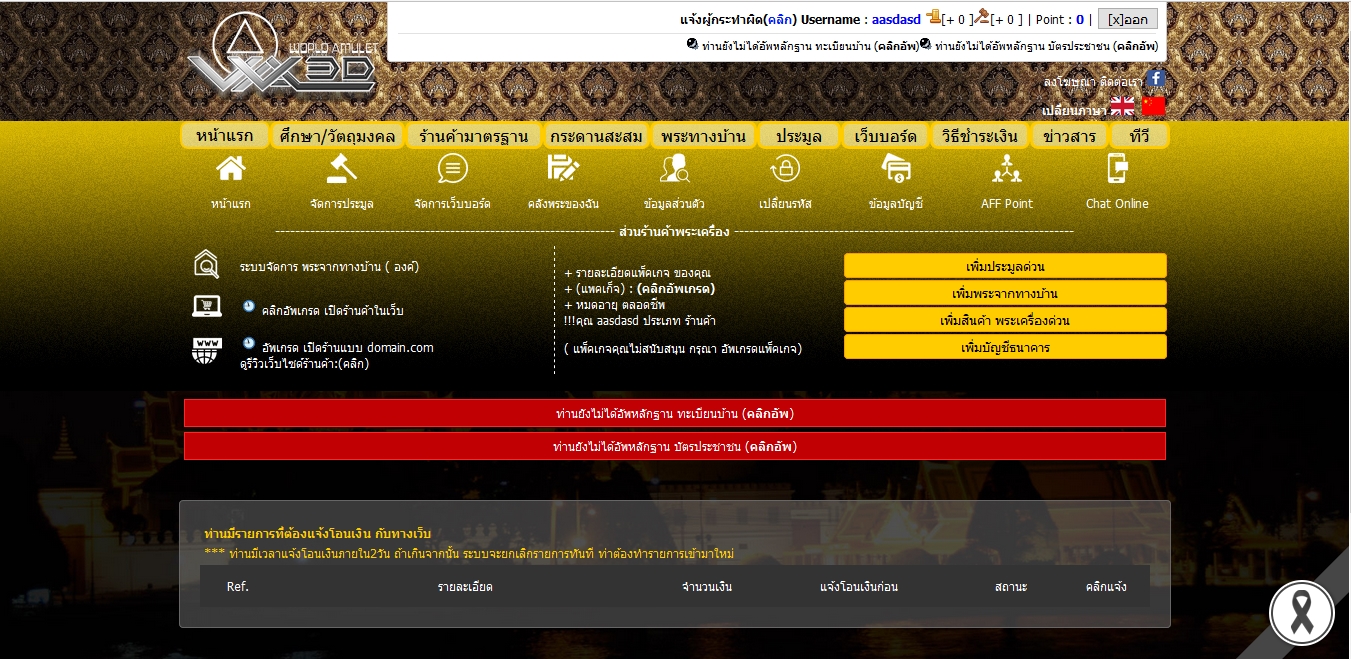
| How to bid and close the auction, all members need to be a member and log in to use it.
1. When the user is logged in, press the button. "Auction management" 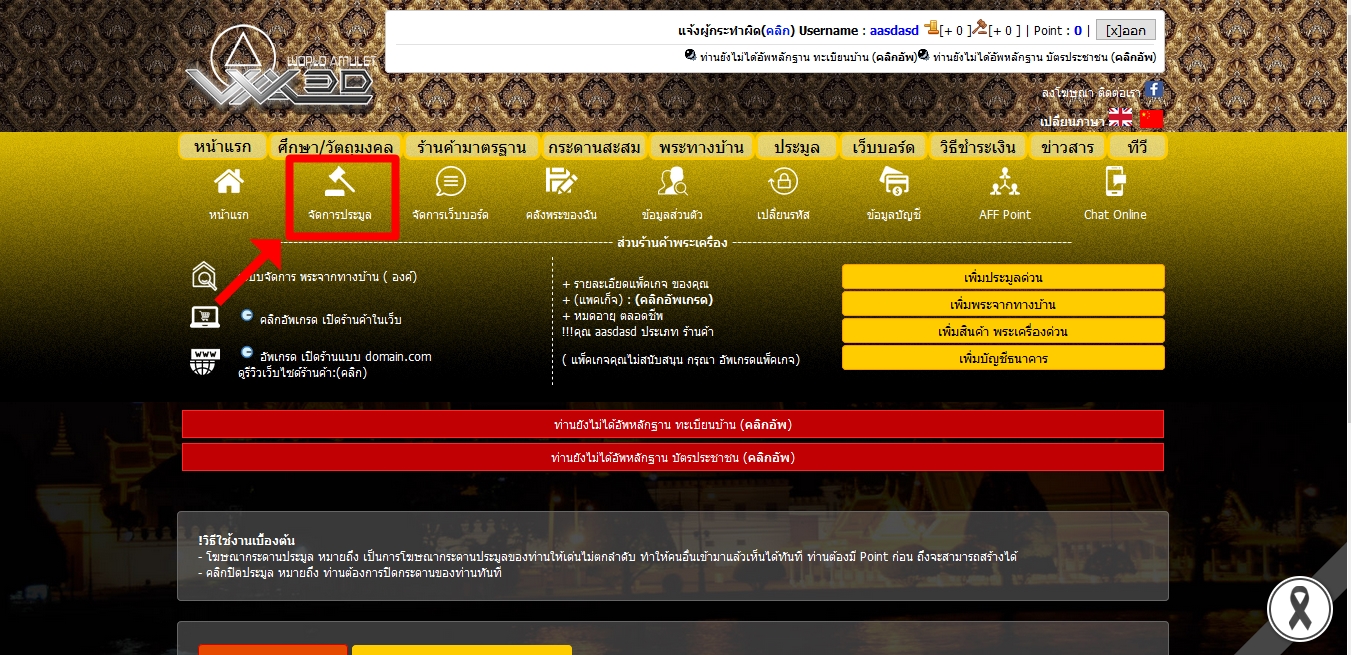
2. Press the button "Create auction boards" To manage your auctions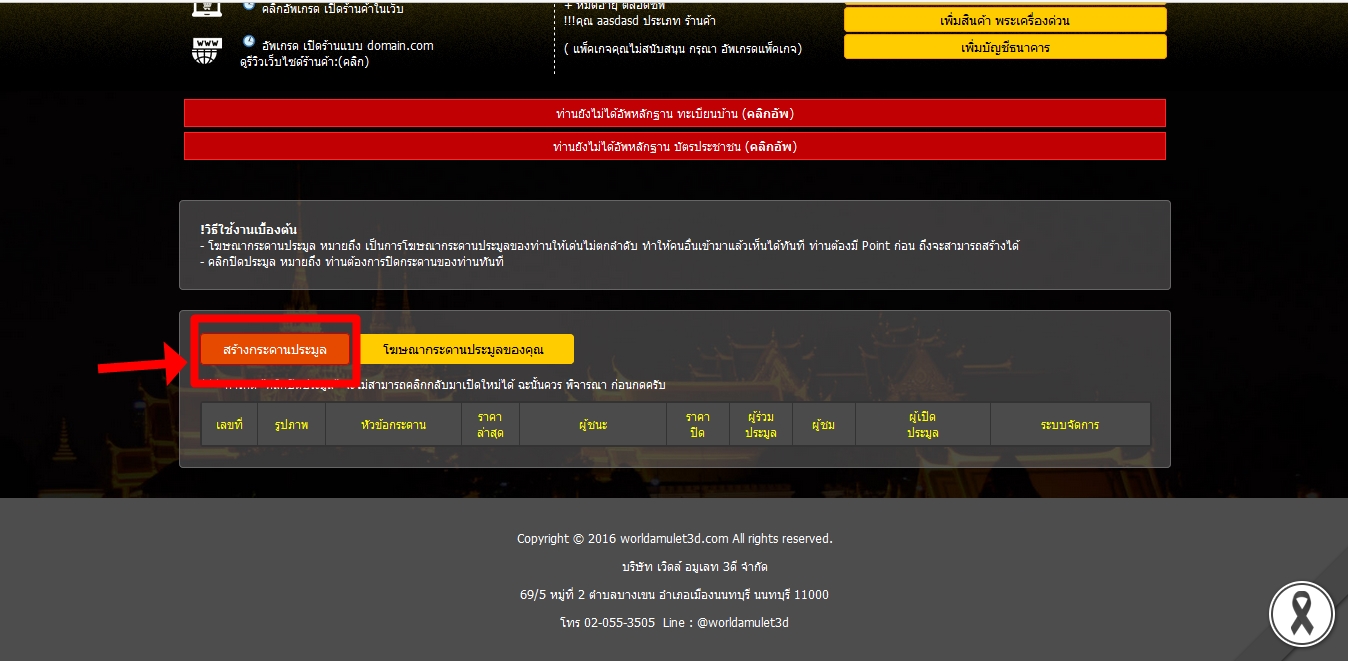
3. Enter your auction information completely and press the button. "Create auction boards"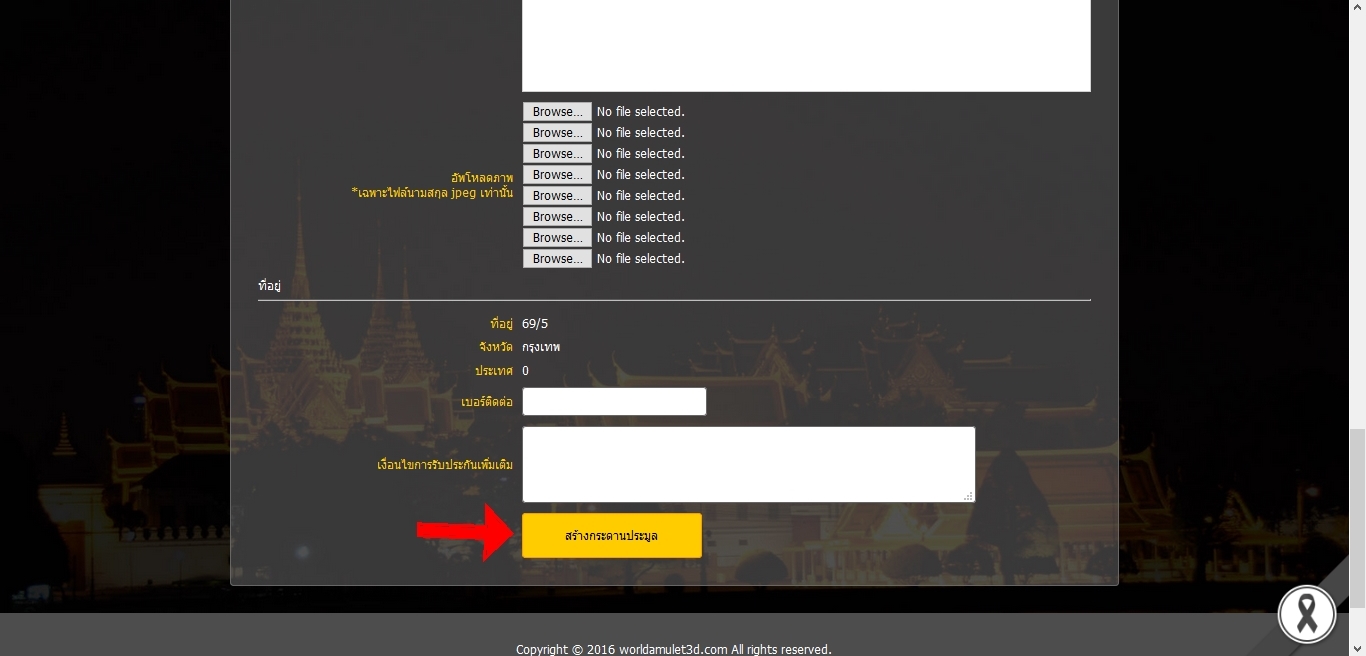
4. Create auction boards completed.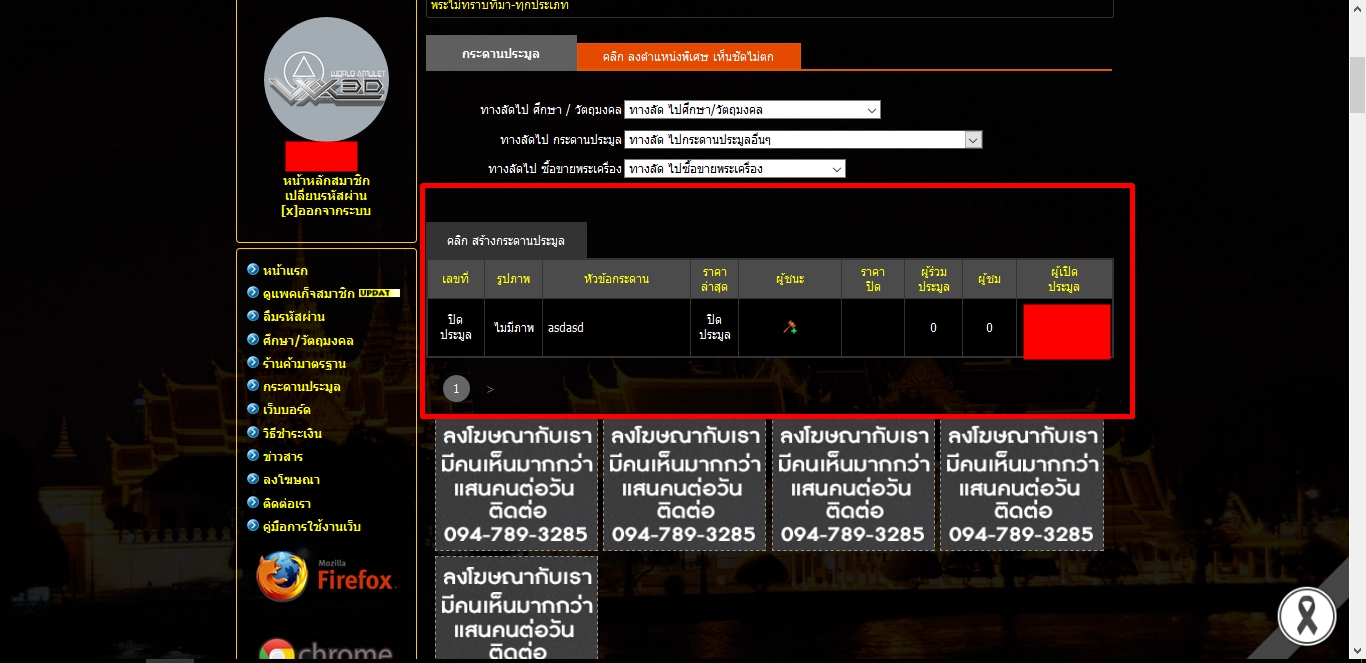
How to close your auction
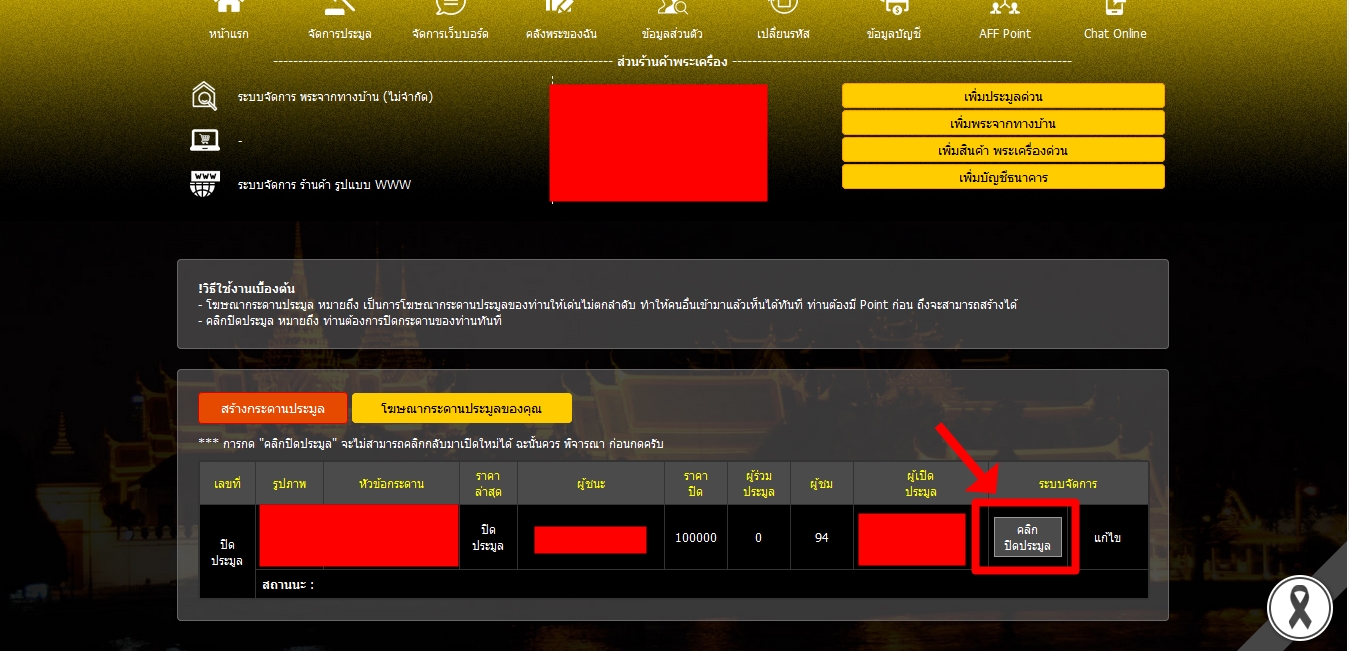
1. Press the button "Close action" Appearing on your auction bulletin board
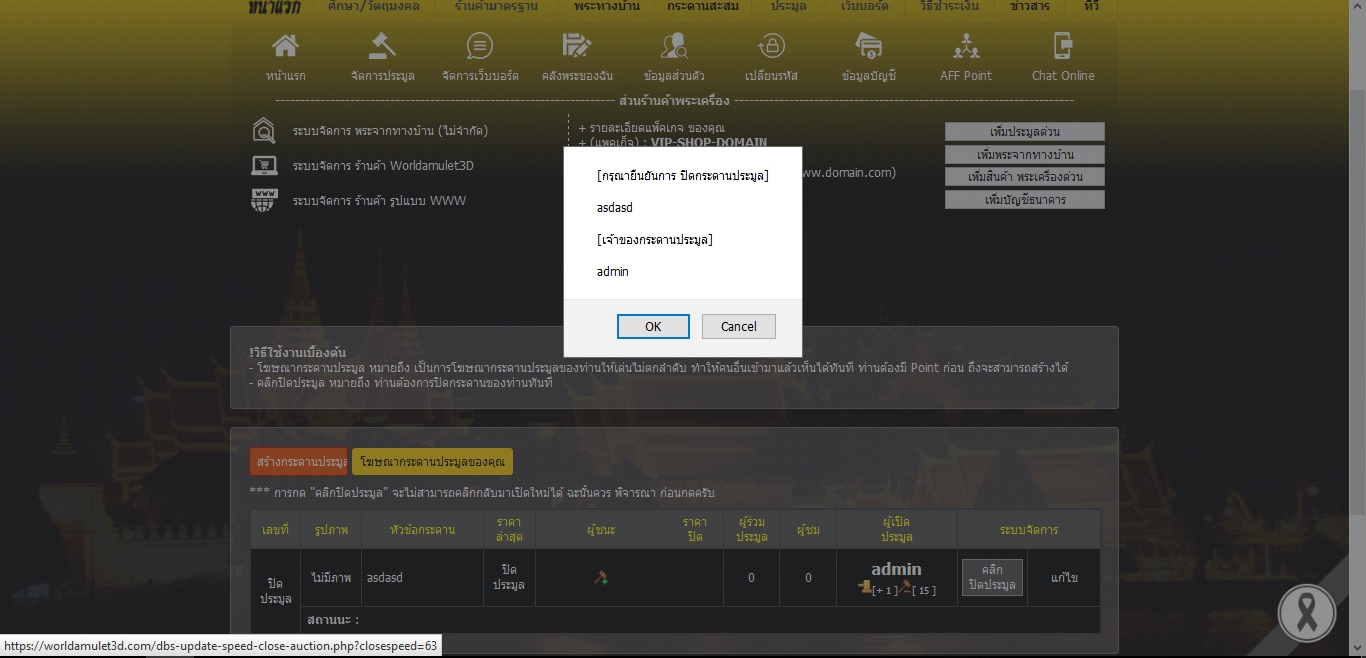
2. Press the button "OK" To confirm the closing of your auction
How to sell home amulet.
1. When the user logs in, click the button on the right that says "Add home amulet"
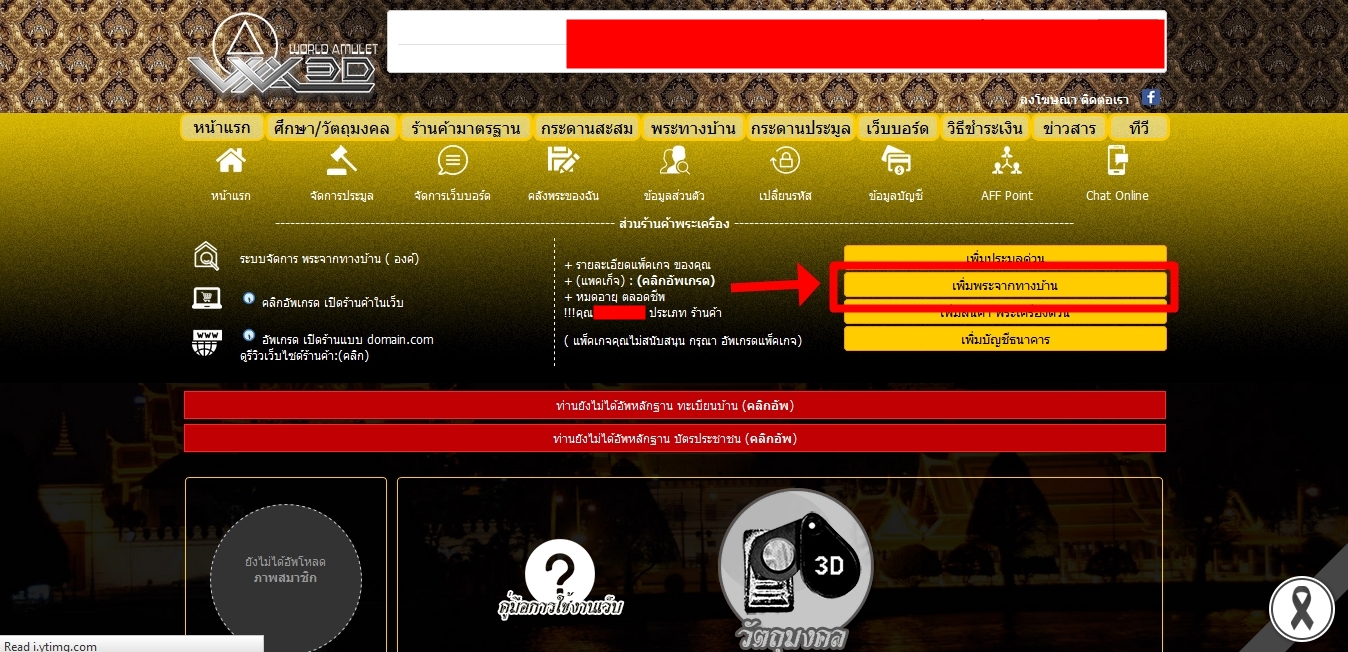
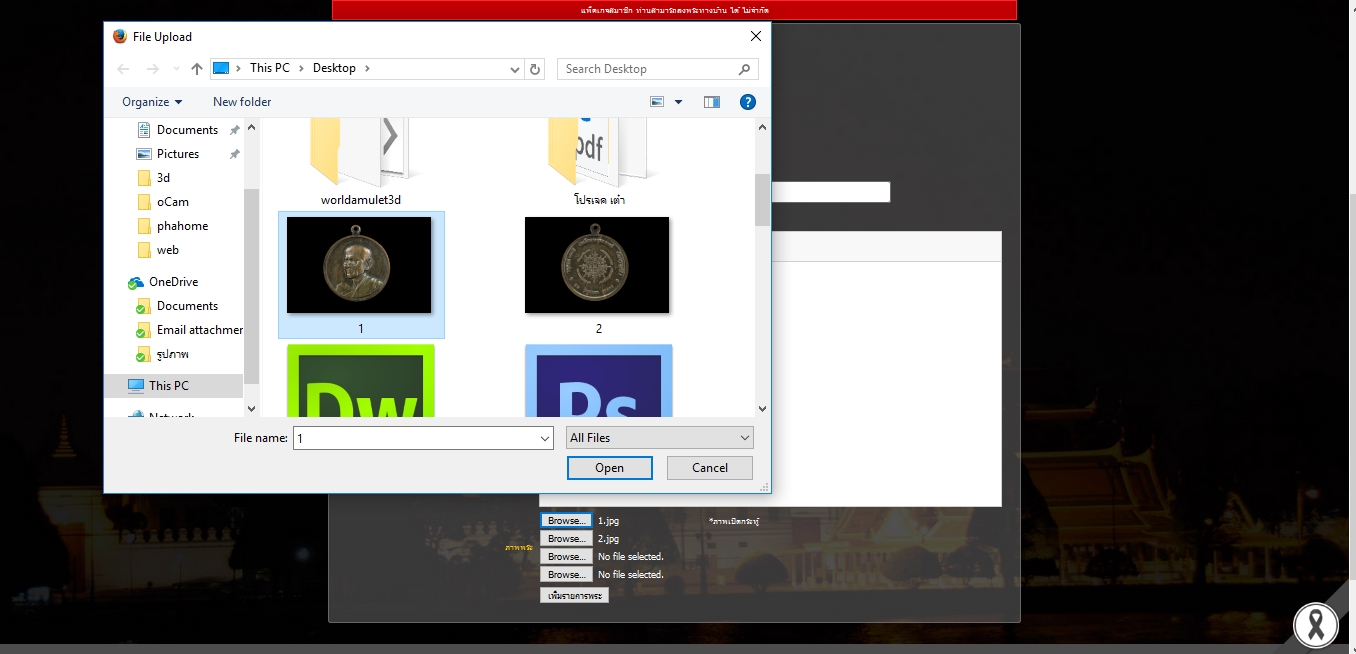
2. Fill your Amulet
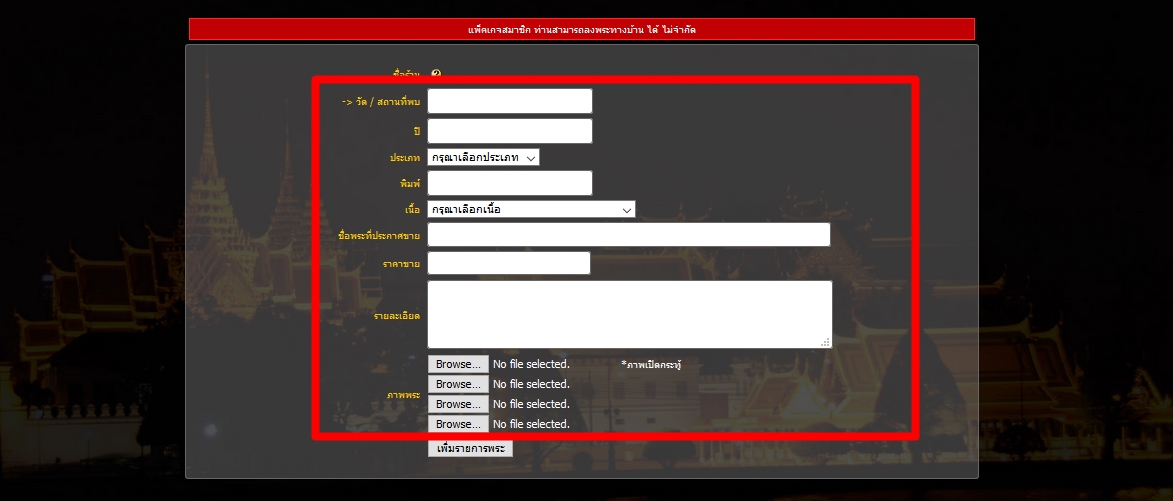
3. Up your image of the Buddha or the document that is genuine.
4. Once complete, click on the button."Add Amulet list"
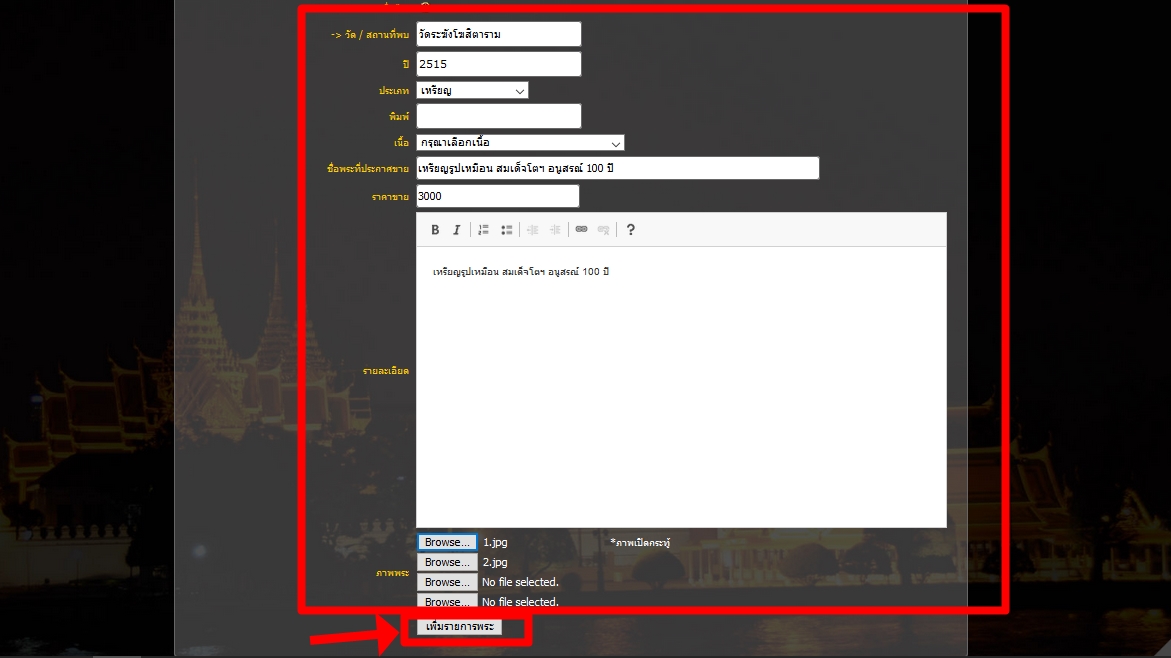
5.Your god will be on the show in the house.
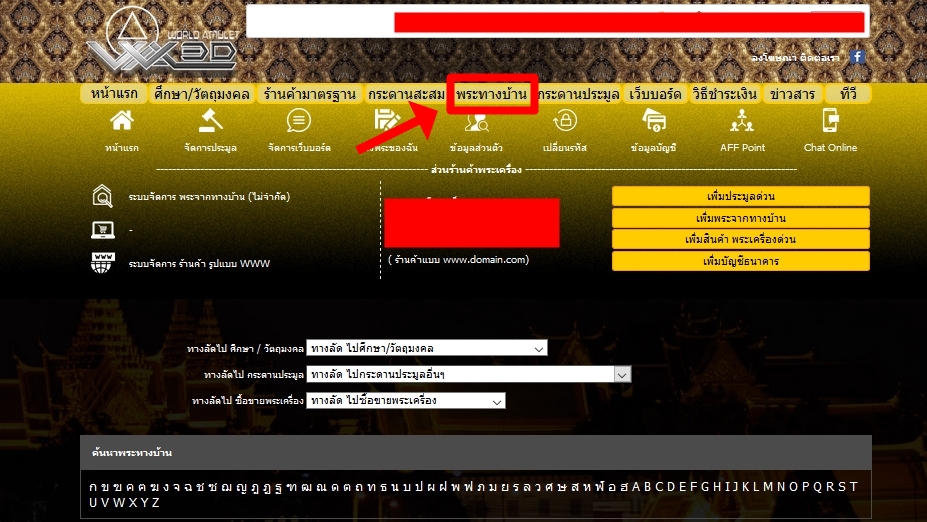
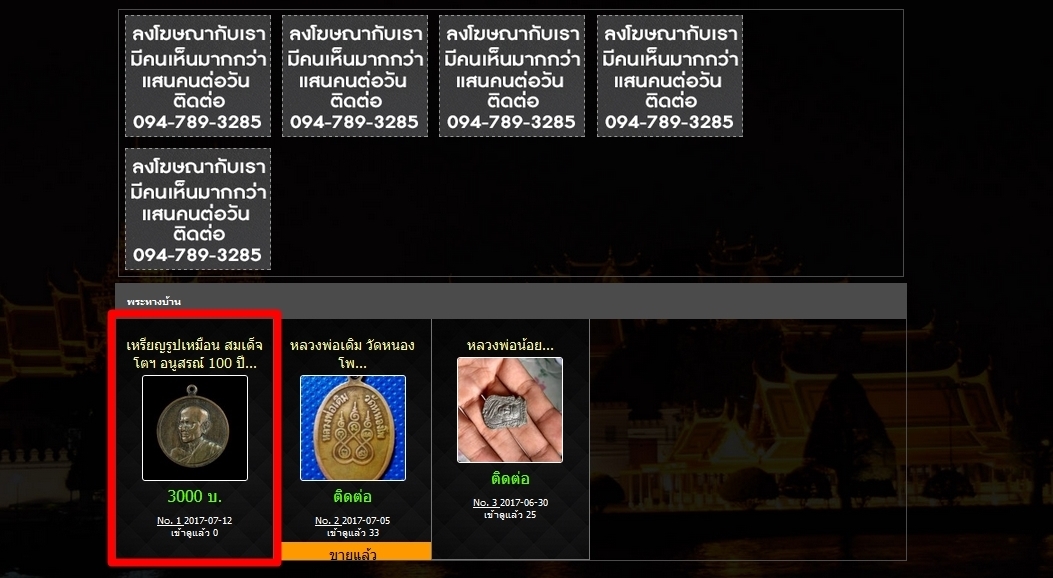
Completed add home amulet.
Upgrade to VIP members to study all the 3D god.(
Click Upgrade )
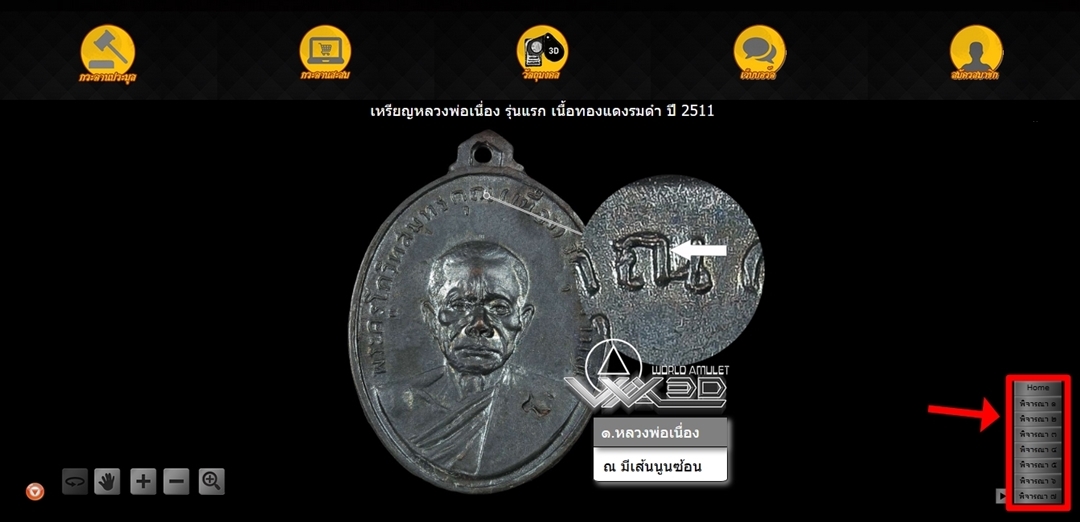
1. When you visit the site, notice the menu button below, click to bring up the menu bar.
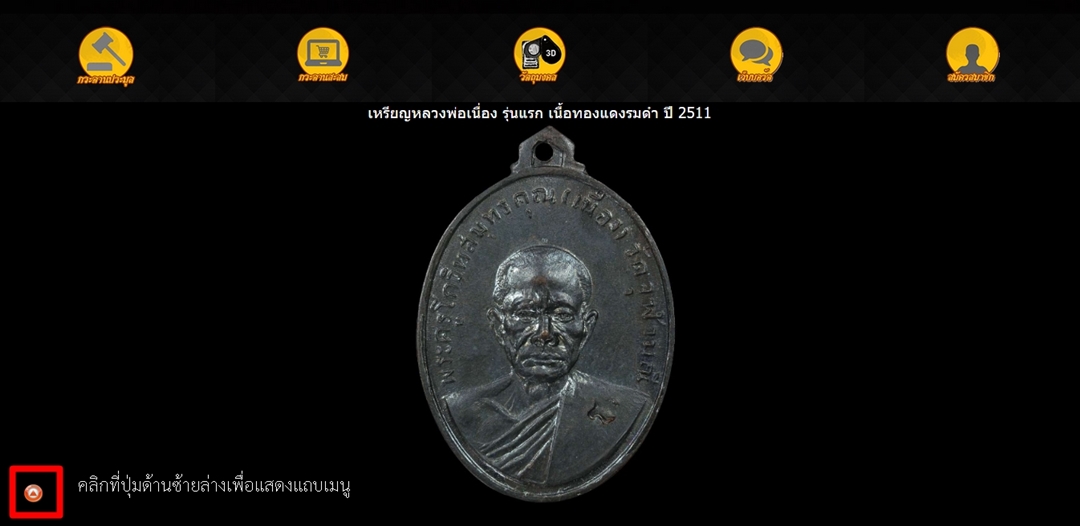
2. The menu bar displays the various tools and monks at the point.
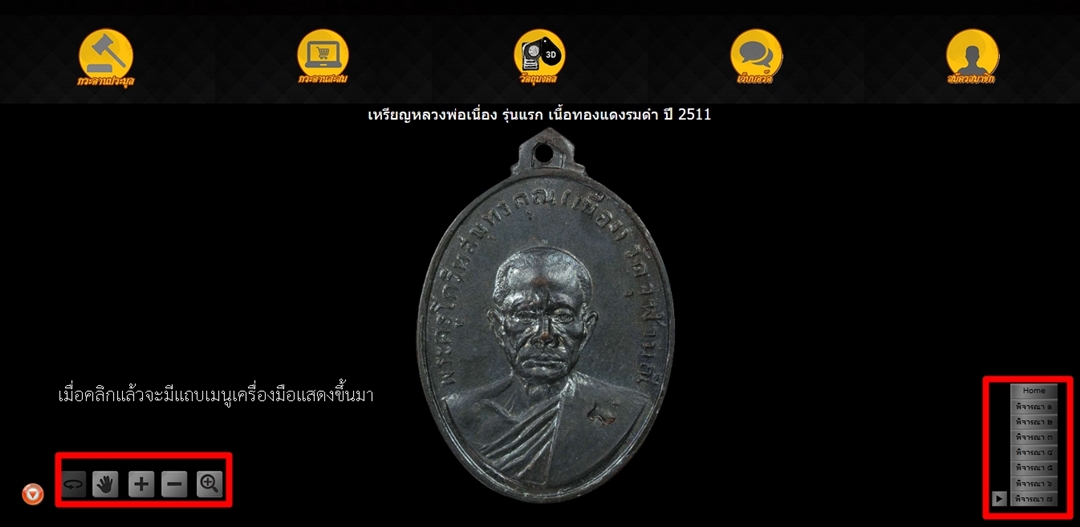
3. In the menu on the right is a place where you should consider the points that should be shined for members who have never studied before.
Interested and want to study him.
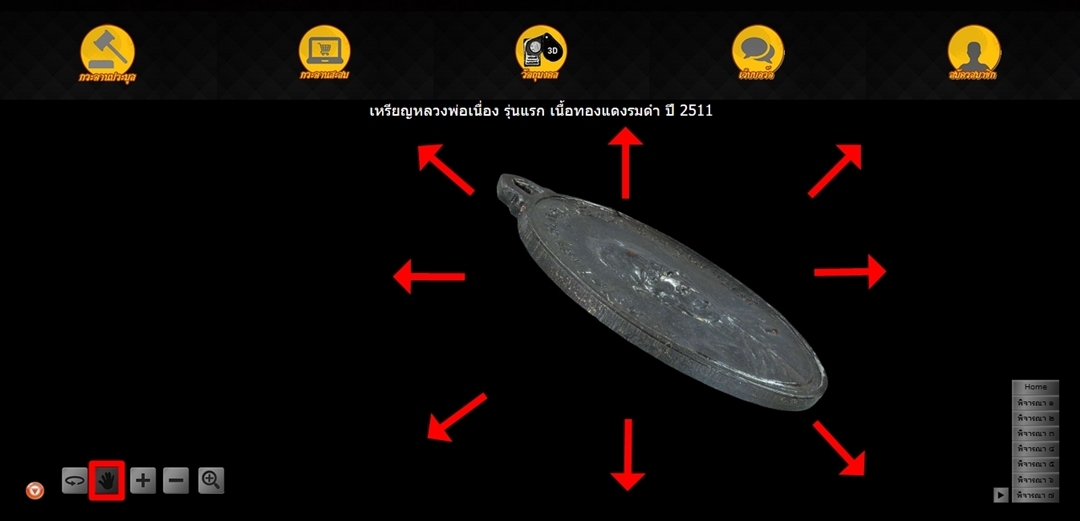
4. Hand tool "Click"The button can then move the priest to the desired position by "Click"ค้างที่ภาพแล้วเลื่อน
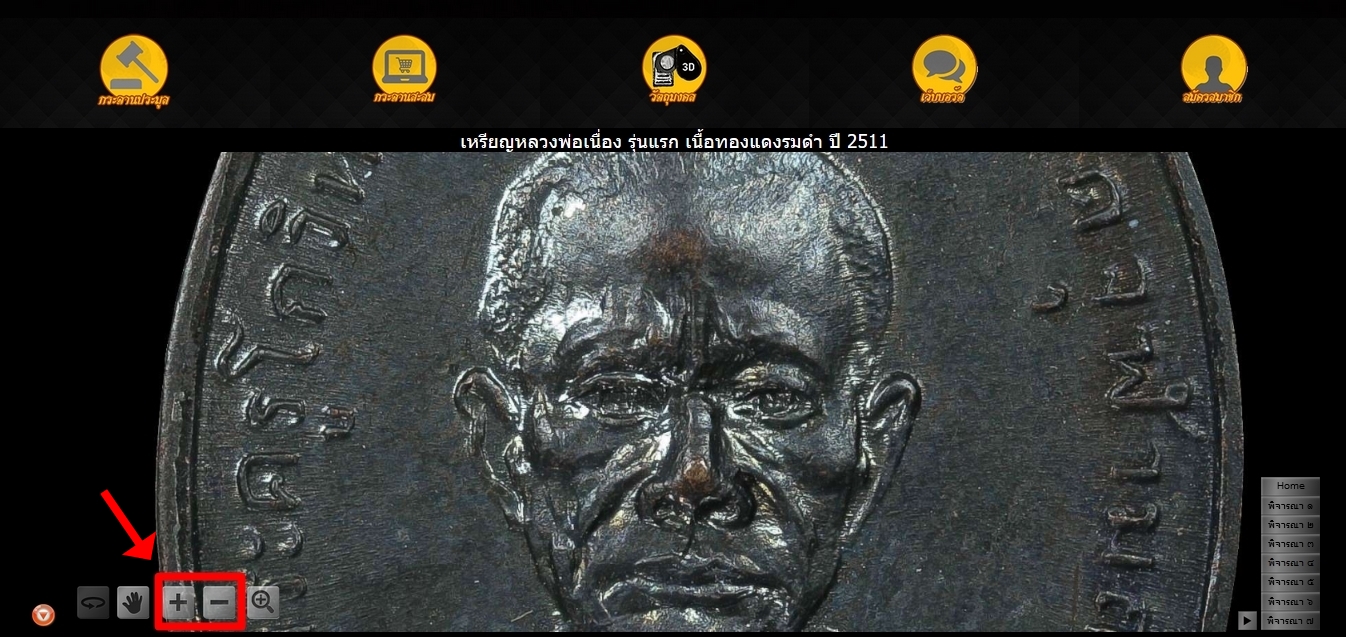
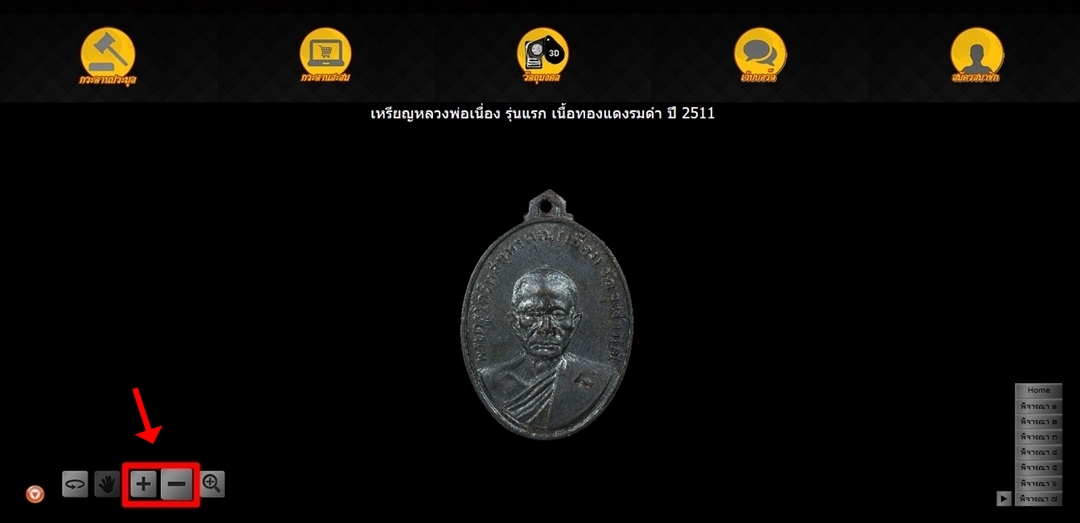
5. Zoom in-out tool To get the size you want.
6. Magnifying glass tool When clicked, there will be a magnifying glass for the members to shine it.
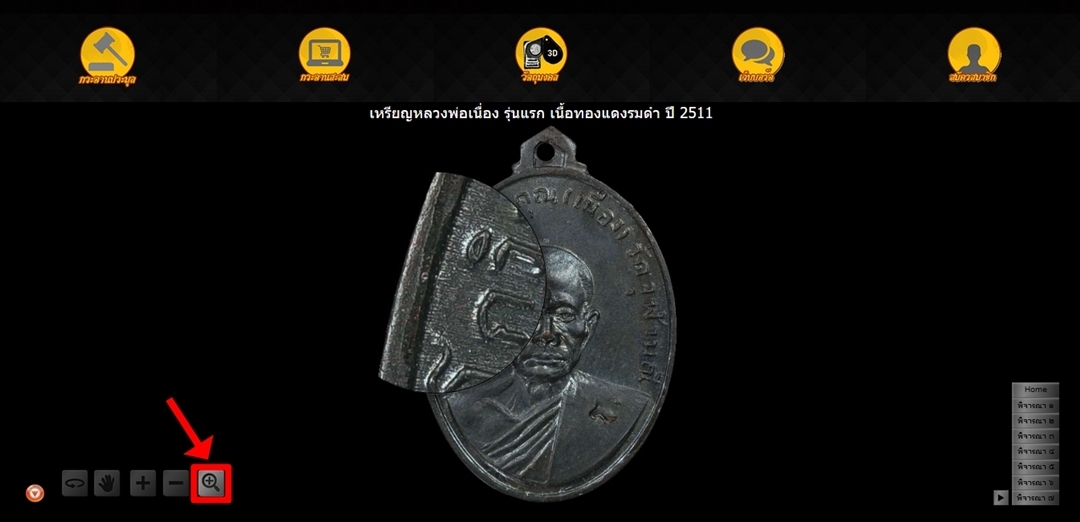
7. To switch to another screen, click on the magnifying glass to exit the tool.
Then click the spin button to rotate to another position that you want.
And click on the magnifying glass again to return to the magnifying glass tool.
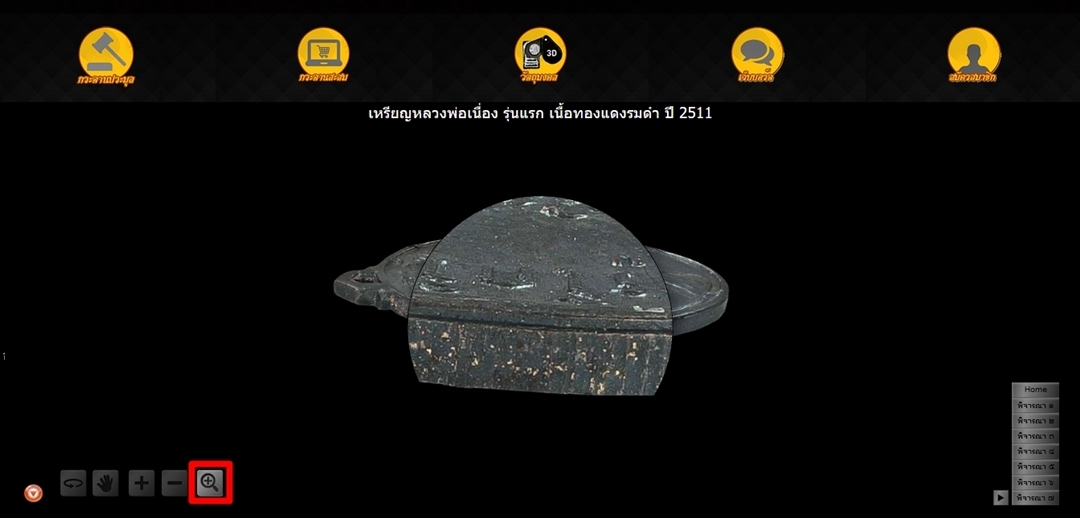
Completed viewing amulet 3D
You can choose to pay one way.
1.Transfer via bank or ATM or Internet Banking
| Name account World Amulet 3 D Co., Ltd. |
| Bank |
Account name |
Account class |
Branch |
 Kasikorn Bank Kasikorn Bank |
024-3-88541-8 |
Saving |
Pantip Ngamwongwan |
 Bangkok Bank Bangkok Bank |
917-0-10583-8 |
Saving |
Pantip Ngamwongwan |
Principles from the transfer of money. You can confirm by
1. Press the button in the top right corner. " Quick Money Transfer "
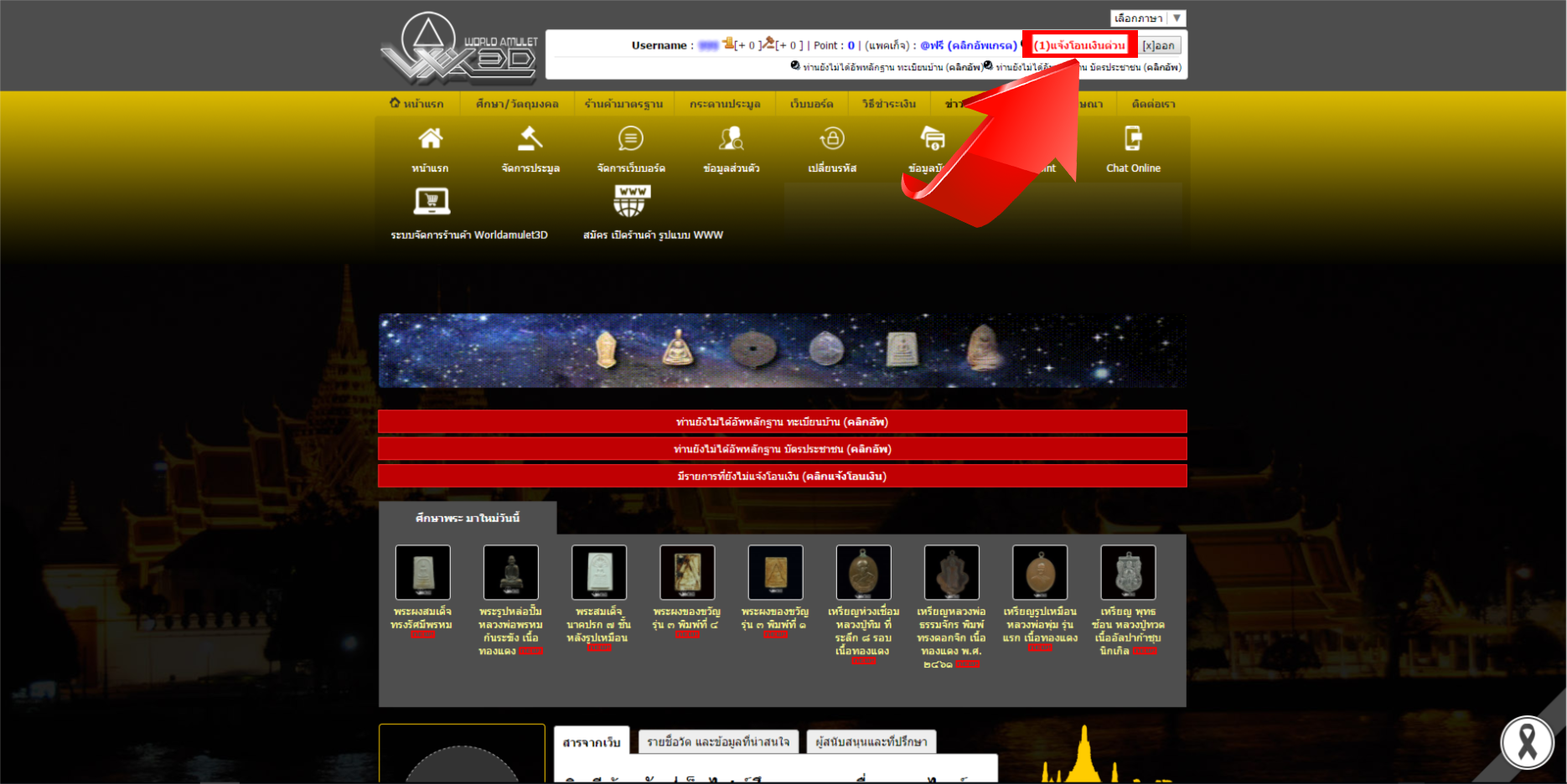
2. Click " Click notify" To confirm payment
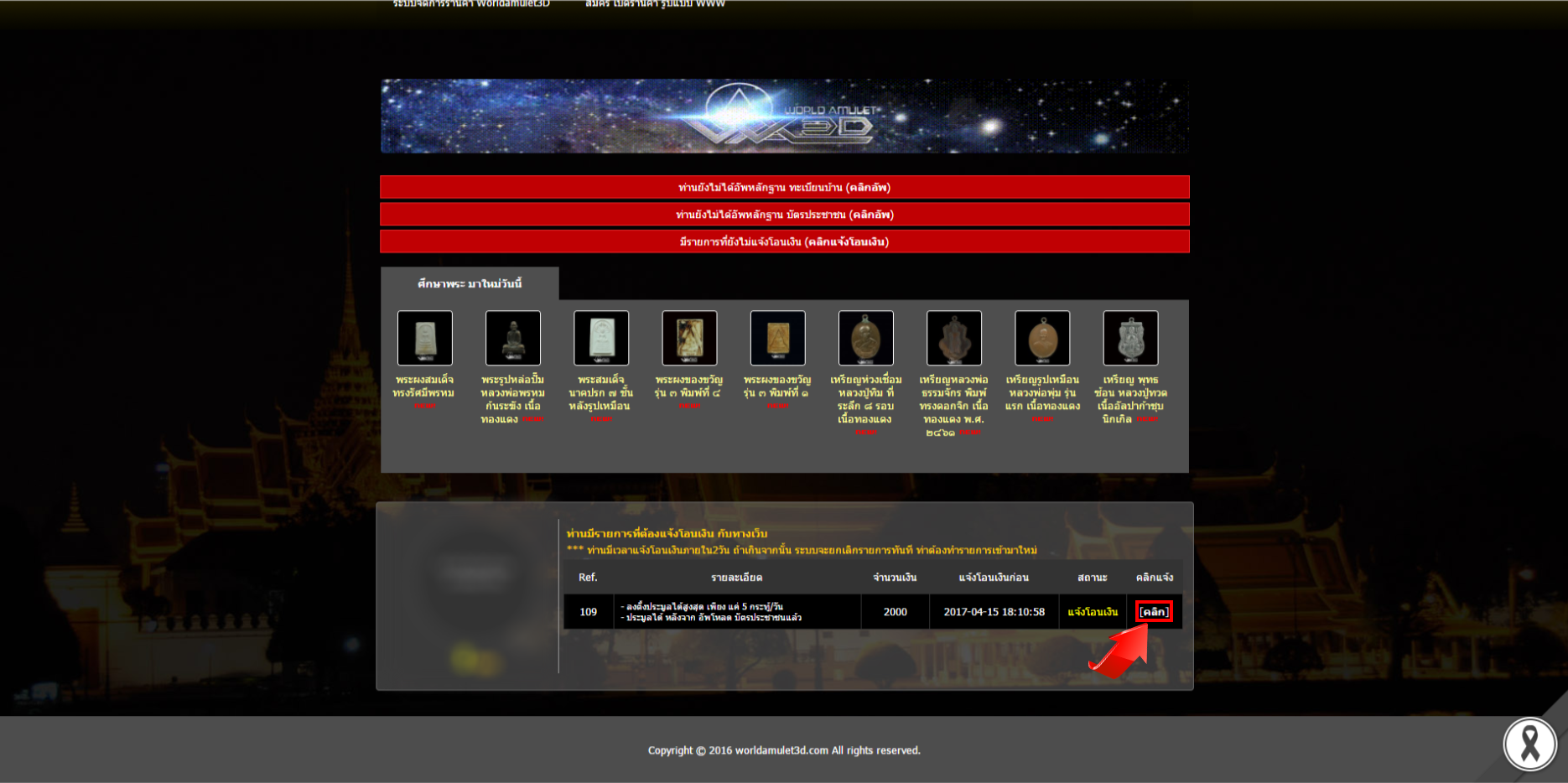
3. Enter information by specifying the amount, date, time and bank you transferred.
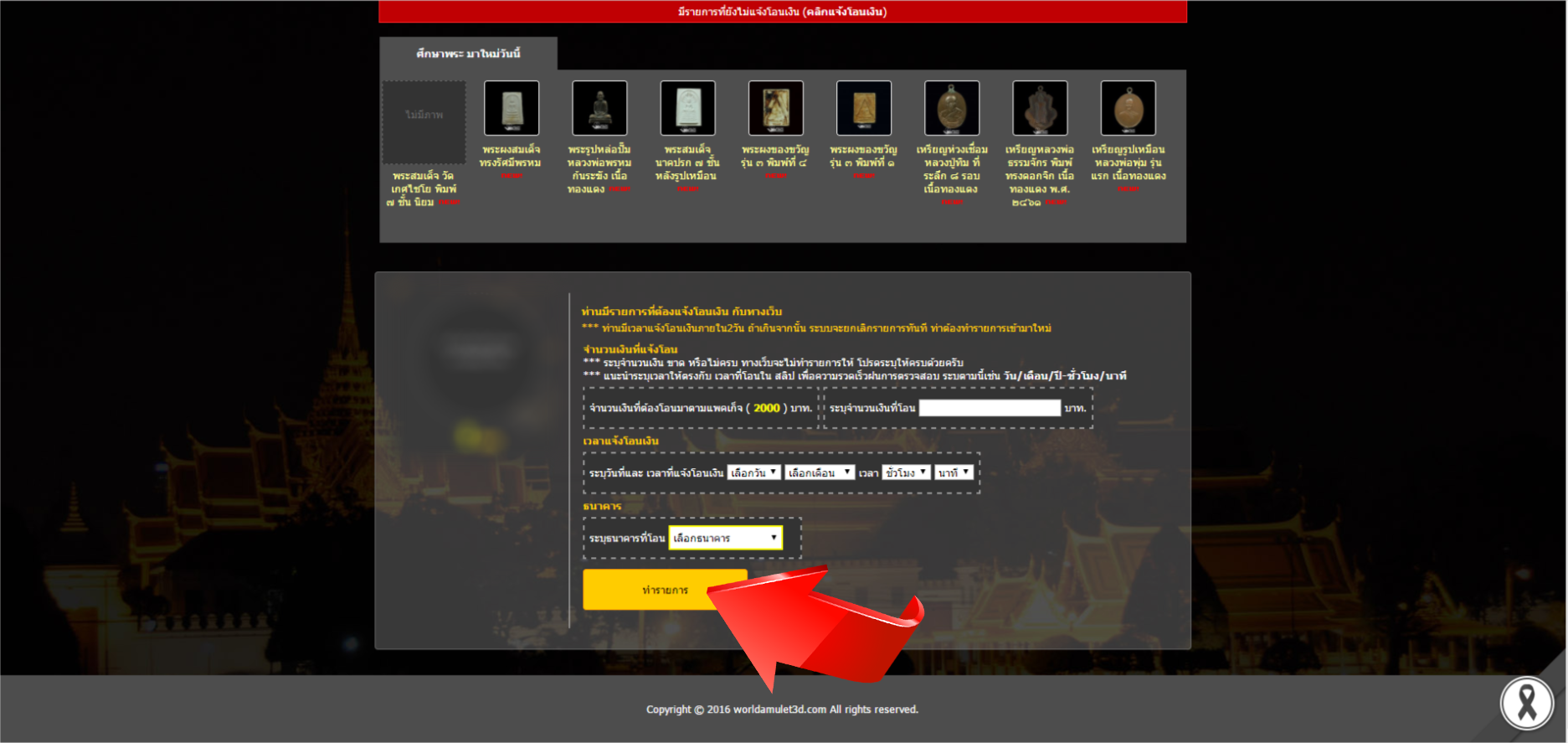
4.Confirmation completed
You must first join the group.
1. Click the button. "Click Upgrade"
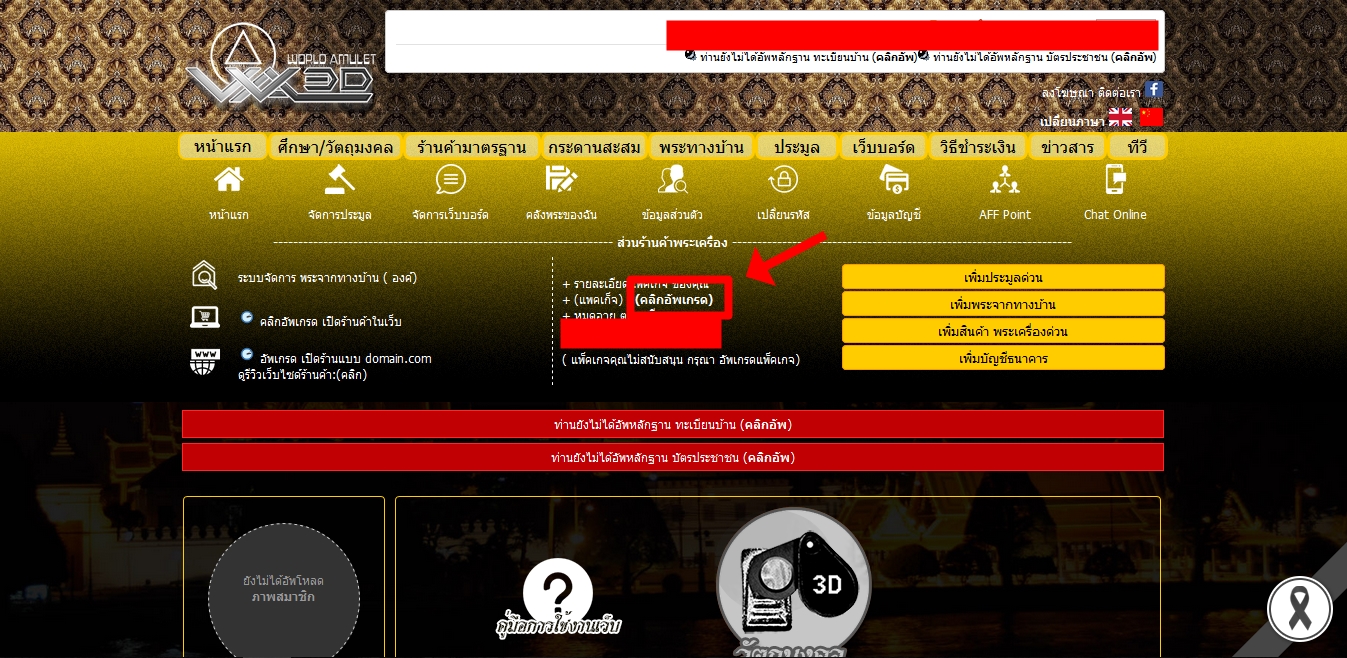
2. Upon entering this page, please select the package that you want.
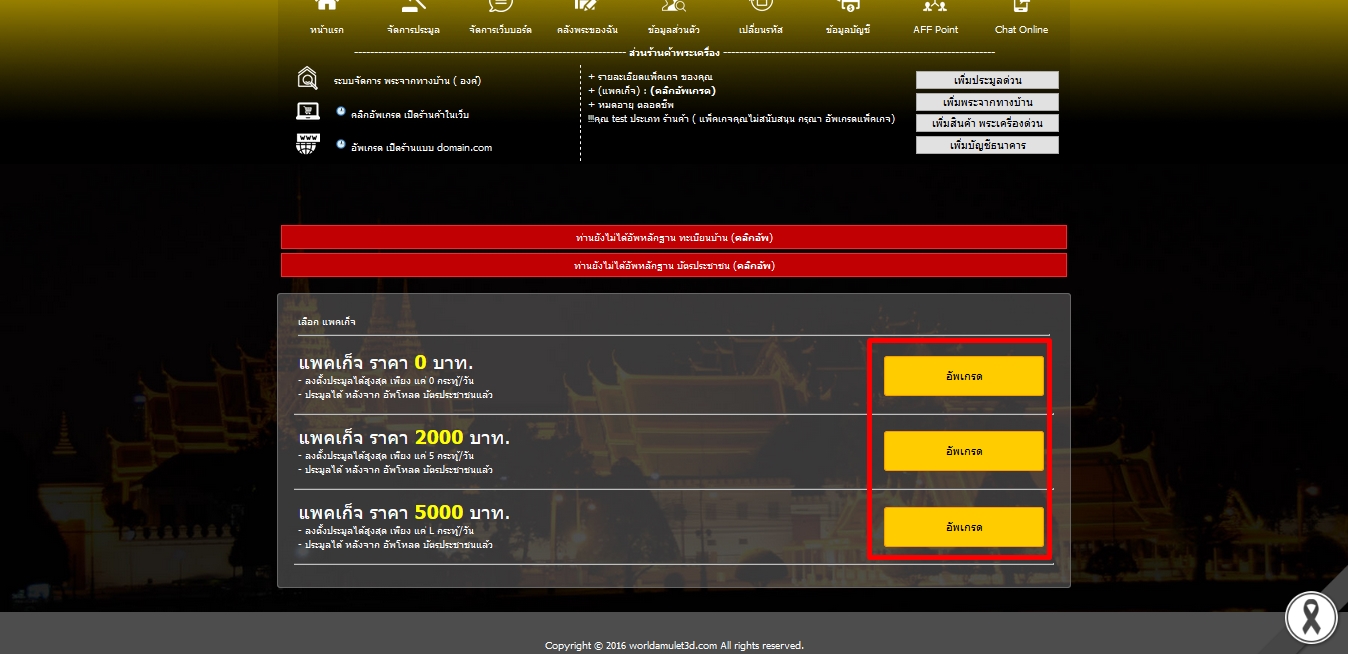
3. Read the information and press the button."Confirm upgrade"
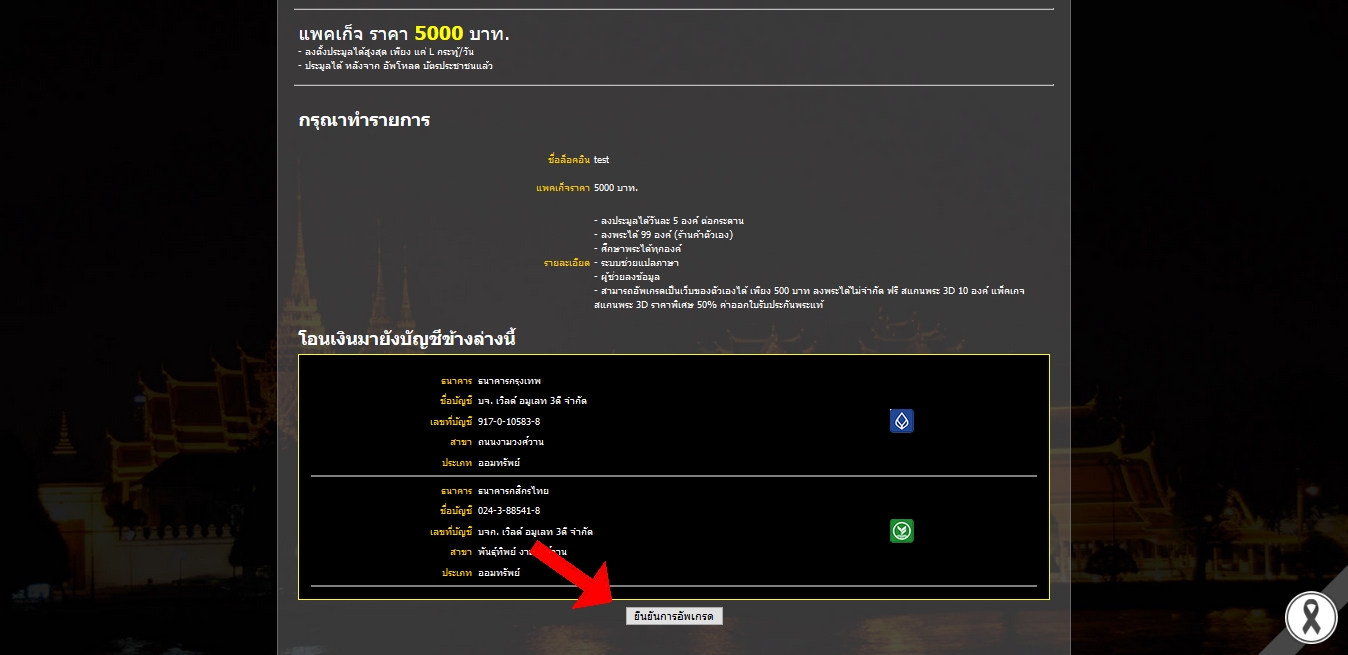
How to transfer money.
1. When you package the package, click on the button."Quick Money Transfer"
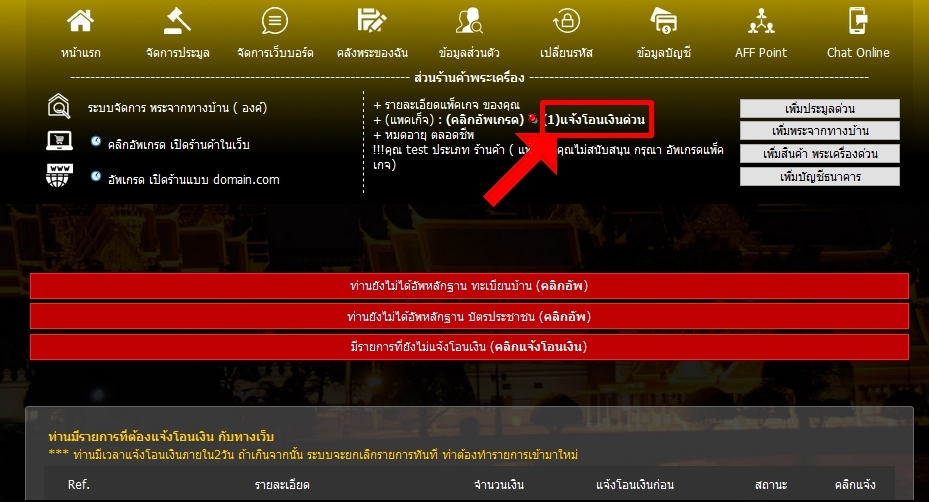
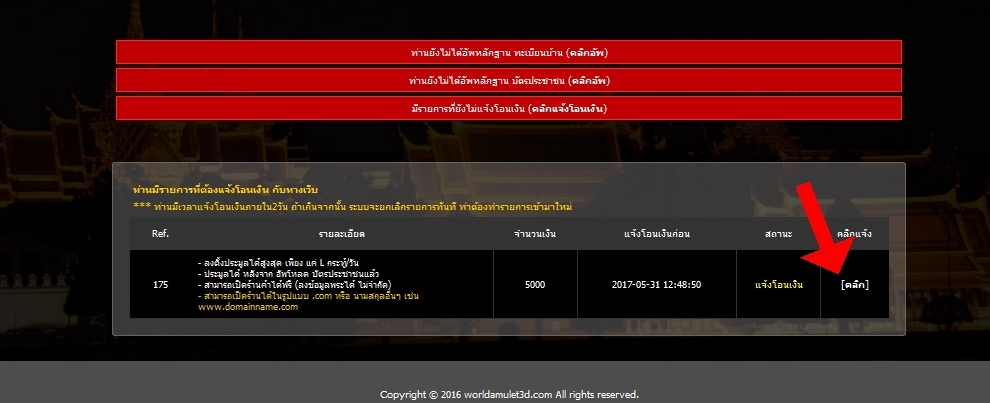
2. click on the button "Click"In the box, click Notify.
3. Select the information as you make the transfer and press the button. "Transaction"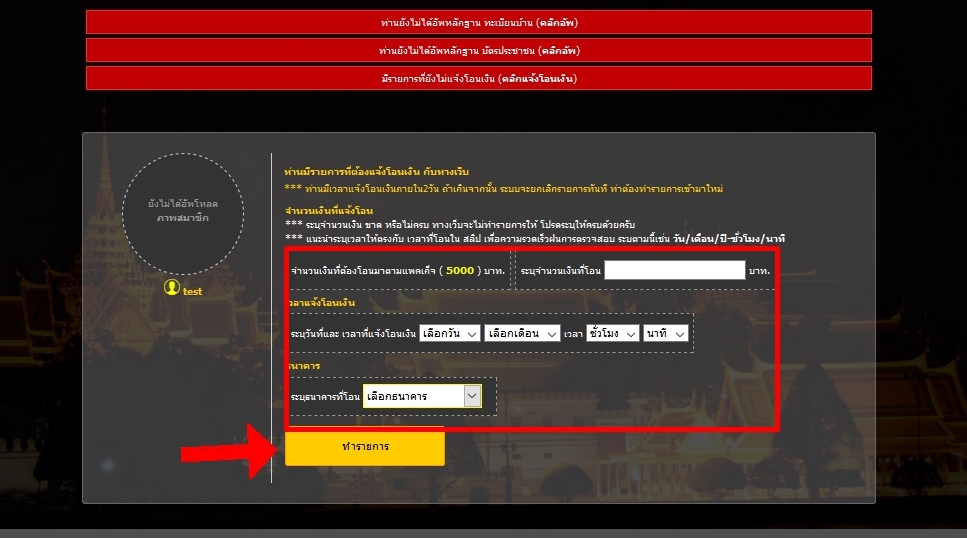
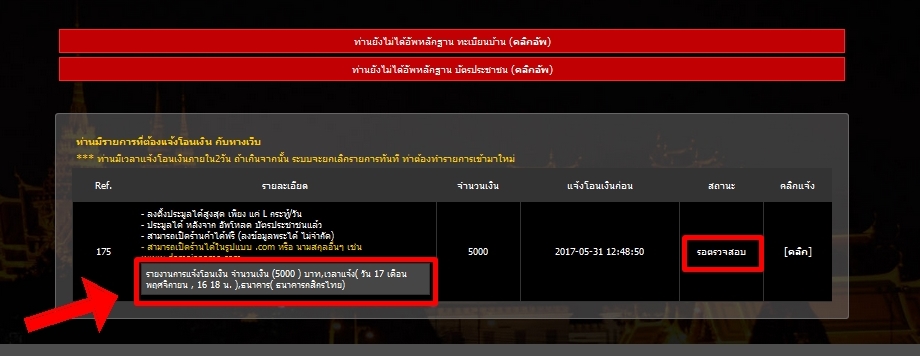
4. End of Money Transfer Inquiry in status box
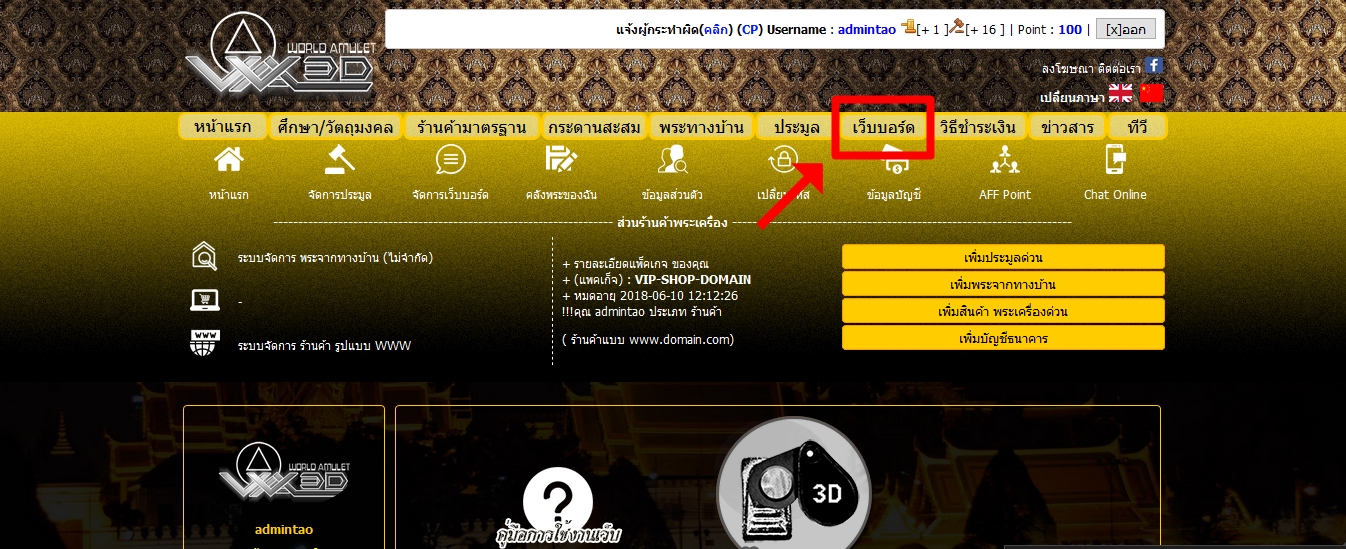
1. When you are logged in, click on the button. "Webboard"
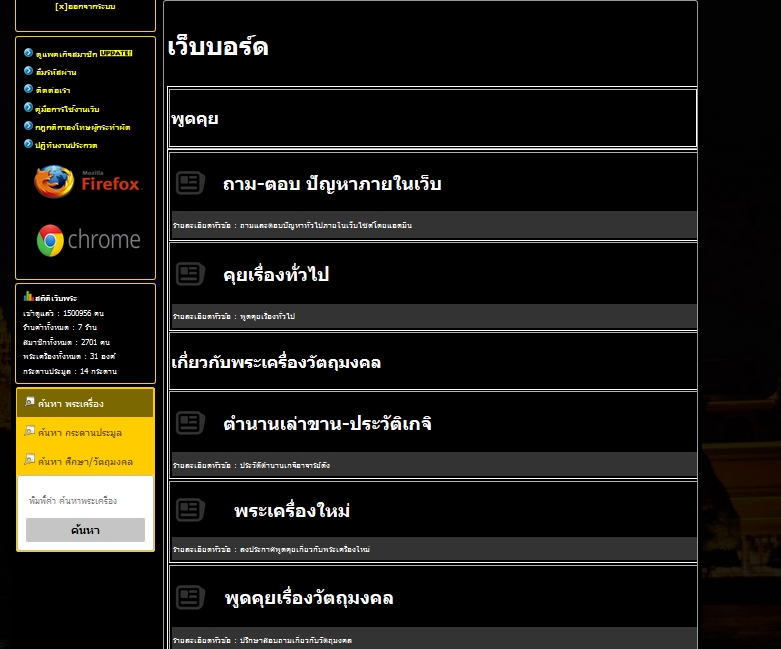
2. Select the forum room you want to use.
วิธีสร้างกระทู้เว็บบอร์ด
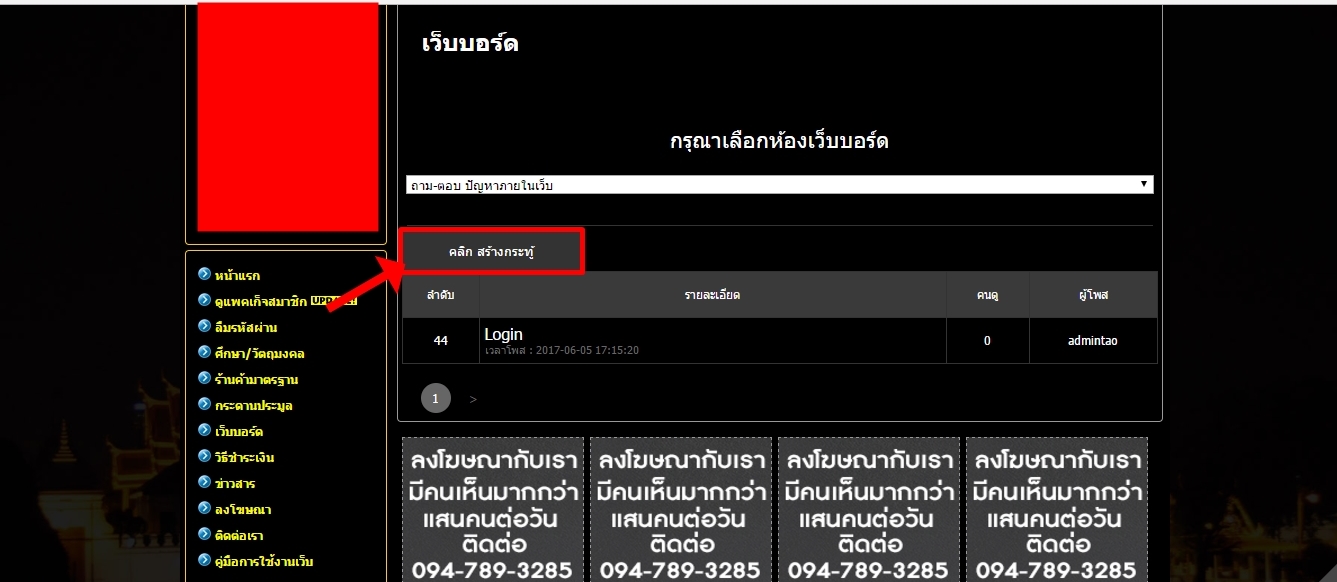
1. Upon entering the forum, click the button. "Click Create Topic "
2. Select the category you want to post and complete the information.
Then click the button."Post topic"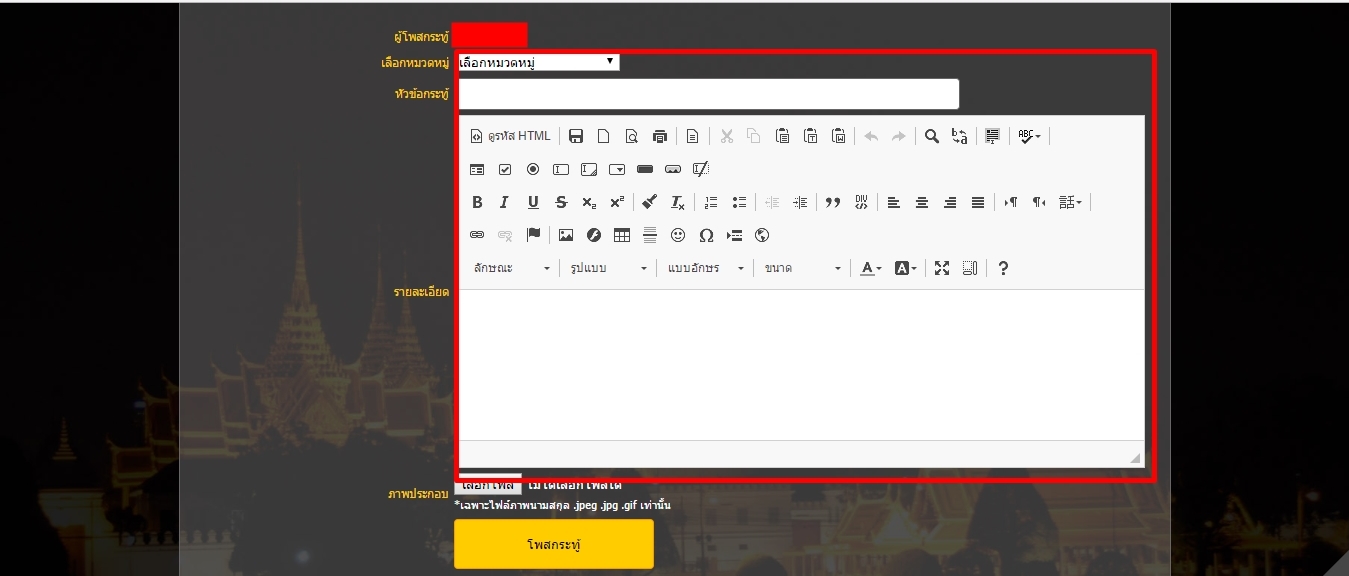
How to create a shop and add amulet the store.